

Revit familyManager - For smooth work with families

What Revit Platform is missing is a high capacity content manager. With the release of Revit familyManager in late
November 2007 you are being offered a component application for smooth gathering and managing of families. Revit familyManager includes as well a multi converter for Revit files turning them into DWF format. This is inevitable for viewing families in fine and convenient way.
Find out more about Revit familyManager here.
FamilyLibrary - Families for Revit

With the Revit familyManager, a tool is available, which saves the users from time consuming searches.
All families, whether local or in the network, can be gathered and managed. A clearly arranged dialogue Layout arranges all that important information, the available family types as well as image viewer are at a glance.
See familit Library - the Families for Revit.
familyManager runs as an application under Revit Architecture/MEP/Structural. Using double click, families can be opened for editing directly from the familyManager or imported using drag&drop in actual projects. Also individual types from the type list can be downloaded und be put directly into the actual project being used.
dbManager for Revit 2010/2011/2012
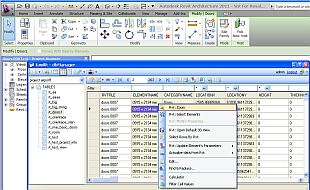
The new product familit - dbManager for Revit is prepared!
The familit database manager exports element's attached parameters to external database table. The exported elements are linked from the external database into the revit project.
The dbManager includes many helpful functions to work with Revit projects /modifying, searching, grouping, sorting, zoom, export, import, calculator, selector.../.
The dbManager supports many database engines: Oracle, MySql, MsSql, Access, XML.
 LOGIN
LOGIN